How Athlink works, from finding a game to playing it.
Athlink brings the people together. The host sets the game and decides who joins; the app keeps the roster and the chat private until then.
-
1
Find a game in your city
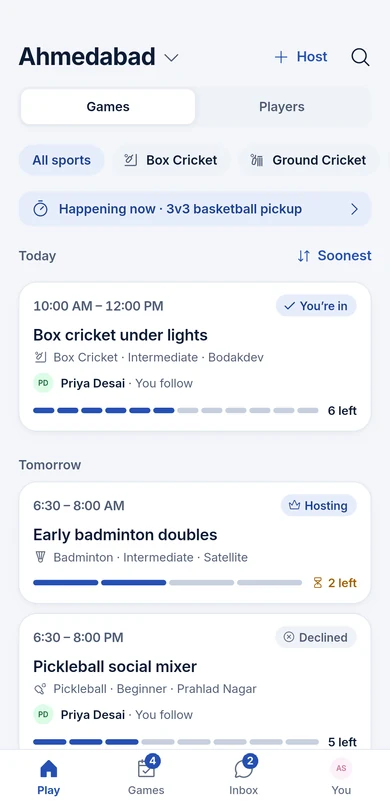
- Set your home city once, or browse another city when you travel.
- Games are listed by start time, with the sport, the level, the host and how many places are left.
- Filter by sport, search by name, or switch to Players to find people to play with.
-
2
Ask for a place
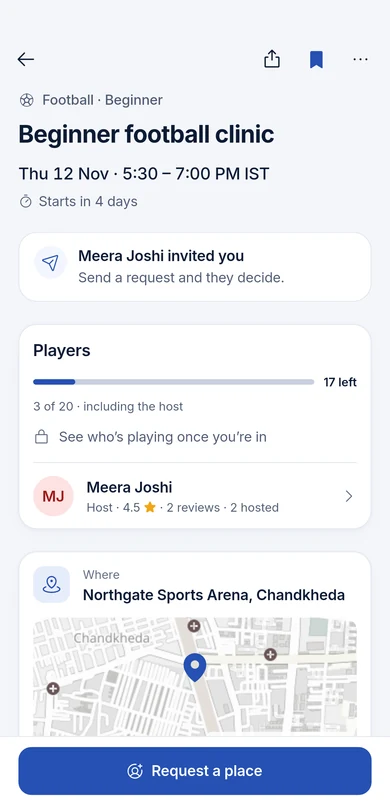
- Each game page shows the sport, the level, the day and time, the places and the host’s rating.
- It shows the venue too, so you know where it is before you ask. The player list stays hidden until the host approves you.
- You send a request by holding the button, so it never goes by accident. Withdrawing a request is final for that game, and the app says so before you send.
-
3
The host decides
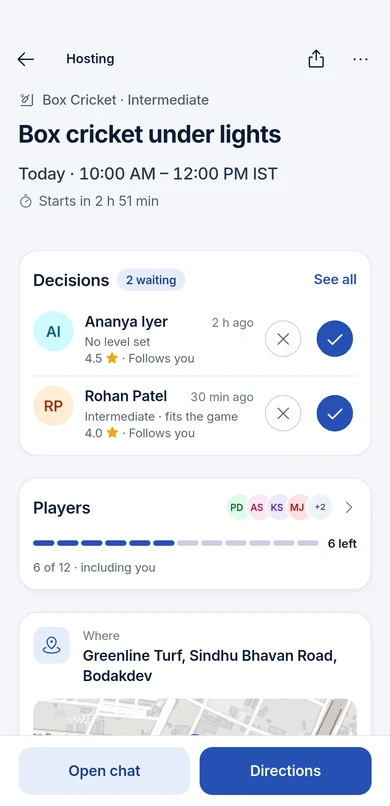
- Hosts see every request with the player’s level for that sport, their rating and their reviews.
- Approve or decline with one tap. Approval is final, so it happens where the places and the player are both in view.
- Capacity counts the host: a ten-place game is ten people including the host.
-
4
Plan it in the chat
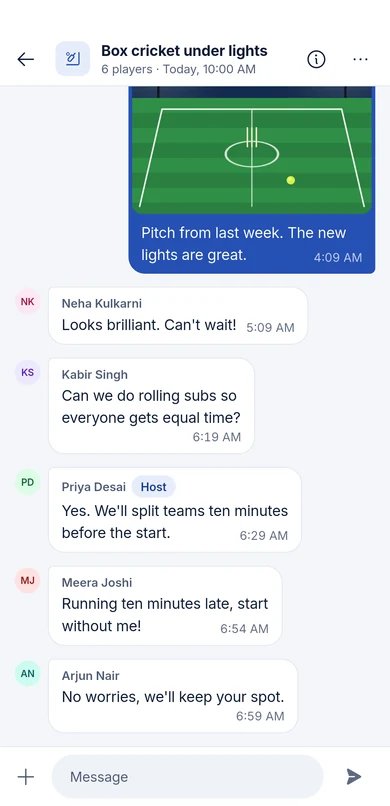
- Approval opens the roster and the game’s chat.
- The chat stays open until the game ends and remains readable afterwards.
- Direct messages between players have their own lifecycle and can be archived.
-
5
After the game
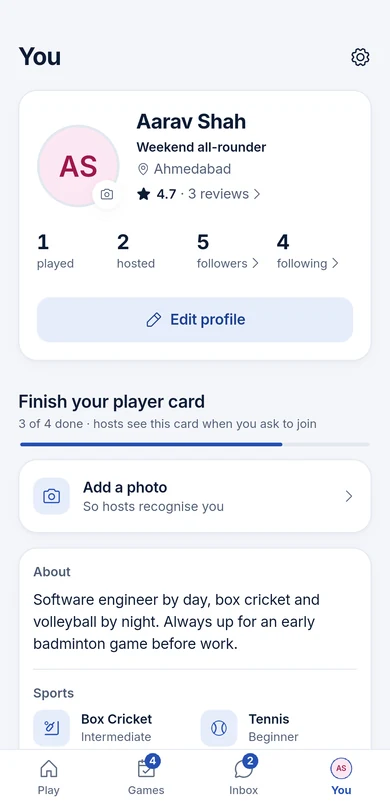
- Rate the people you played with. Ratings and reviews appear on player cards.
- Follow players you want to see again. Your player card shows your sports, levels, availability and reviews.
- Blocking and reporting are available on every profile and game, and moderation decisions can be appealed.
-
6
Host your own
- Pick the sport, give the game a title, set the day and time, choose the venue and the number of places.
- Edit the game until it starts. Cancelling tells everyone who was in.
- Athlink does not book venues or take payment; the host and players agree the venue and any costs directly.
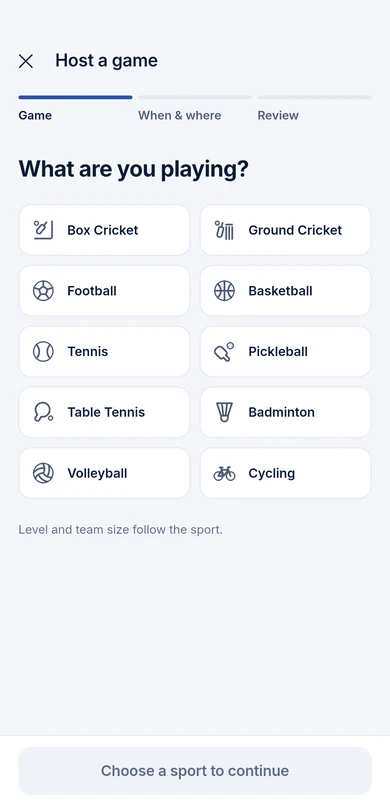
Screens show example games and players.
Get the app.
Athlink is free. Sign in with your phone number and an SMS code, then find a game or host one.